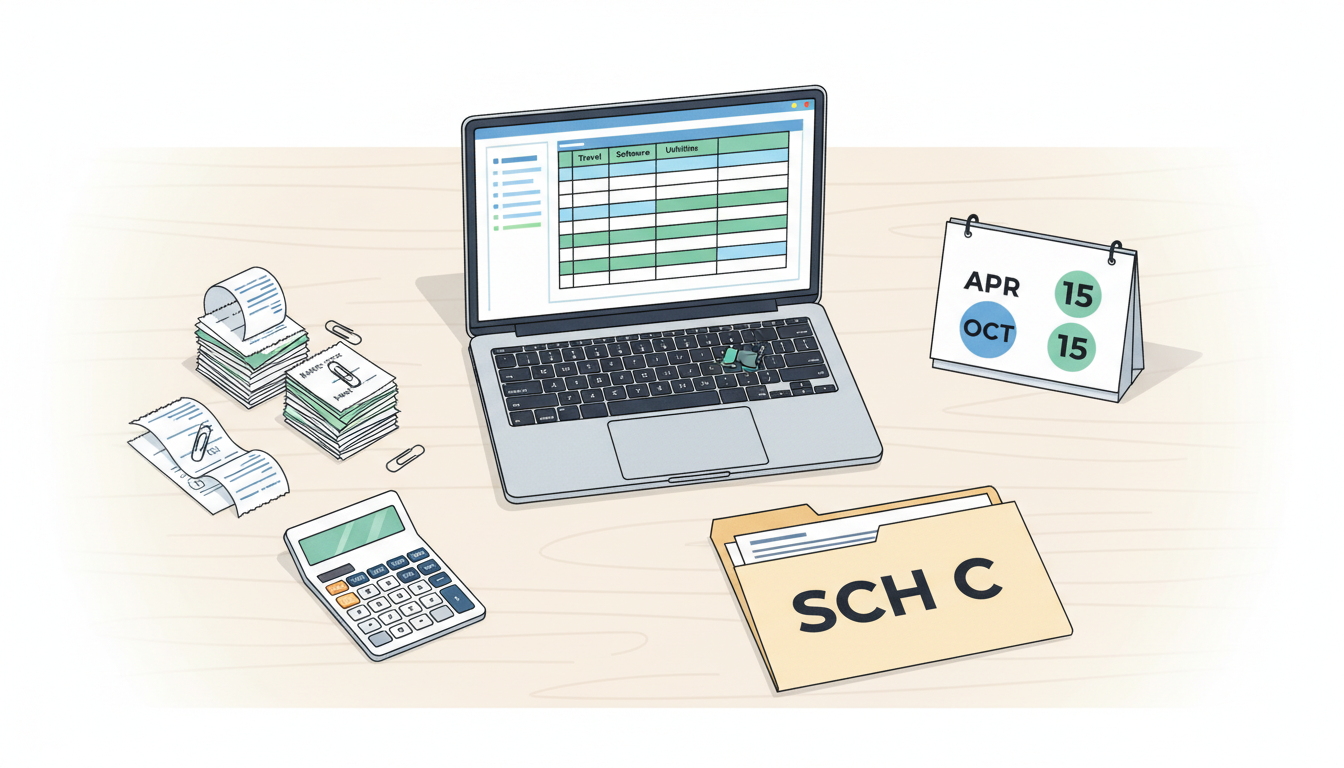
Important Disclaimer: This article is for informational and educational purposes only and does not constitute tax, legal, or financial advice. Nothing in this article should be relied upon as a substitute for advice from a licensed CPA, enrolled agent, or other qualified tax professional. IRS rules — including reporting thresholds, deduction limits, audit rates, meal deduction rules, and penalty structures — change from year to year and vary based on your individual circumstances, income level, business structure, and state of residence. All figures, rates, and thresholds cited here reflect general industry averages or historical data and may not apply to your situation. Always verify current rules with a licensed tax professional before filing your return.
It's March. Your freelance expenses are a mess — you haven't looked at a single receipt since last January. Your bank statements are a wall of transactions you vaguely remember, and your CPA appointment is in two weeks. Sound familiar?
You're not alone — and your freelance expenses aren't as impossible to untangle as they feel right now. IRS data shows that tens of millions of individual returns include a Schedule C each year1 — and a staggering number of those filers wait until the last possible moment to tackle expense organization. Whether you received a handful of 1099-NEC forms or dozens, the result is the same: panic spreadsheets, missed deductions, and CPA bills that balloon because your tax professional has to play detective with your finances before they can even start filing.
The good news is that you can still organize your freelance expenses for taxes — getting everything properly categorized and CPA-ready — without pulling an all-nighter. This guide will walk you through exactly how. Whether you've been putting off freelance expense tracking all year or just need a refresher, this system works for anyone.
Why Organizing Freelance Expenses Before Your CPA Meeting Saves You Money
Most freelancers think of expense organization as busywork. It's not. It's one of the highest-ROI activities in your entire tax prep process — right up there with making your quarterly estimated tax payments on time.
Here's why: CPAs typically charge between $150 and $300 per hour2, with rates varying significantly by location and experience. When you show up with a shoebox of receipts (or, more realistically, a chaotic spreadsheet), your CPA spends the first several hours just sorting and categorizing. That's not tax strategy — that's data entry. And you're paying premium rates for it.
The math is simple:
- Unorganized expenses → 3-5 extra CPA hours → up to $450-$1,500 in additional fees (based on industry average hourly rates of $150-$300)
- Organized, pre-categorized expenses → CPA jumps straight to strategy → you save hundreds
Beyond cost savings, organized expenses mean fewer missed deductions. When your expenses are a mess, both you and your CPA are more likely to overlook legitimate write-offs. That home office deduction? The software subscriptions? The conference travel? They get lost in the noise — and you end up paying more in self-employment tax than you should. Tax professionals often observe that freelancers miss top tax deductions for 1099 contractors each year simply because their freelance expense tracking wasn't systematic. Implementing a simple freelance expense tracking system from the start of the year can prevent this entirely.
Related: Understanding the IRS Green/Yellow/Red System for Expense Classification — Learn how to assess the risk level of each deduction before your CPA meeting.
The 4-Step System to Organize Your Freelance Expenses
You don't need a fancy accounting degree. You need a system to organize your freelance expenses. Here's one that works in under an hour — whether you're a sole proprietor, independent contractor, or any type of 1099 worker.
Step 1: Gather Everything in One Place (15 minutes)
Stop hunting through different apps and accounts. Pull all your transaction data into a single view:
- Bank statements: Download CSV exports from every account you used for business
- Credit card statements: Same thing — CSV downloads for the full year
- PayPal, Stripe, Venmo: Don't forget payment processors — especially if clients paid you through these platforms
- 1099 forms: Collect all 1099-NEC and 1099-K forms you've received from clients and payment platforms
- Cash expenses: Check your phone photos, email receipts, and that one drawer in your desk
The goal isn't perfection. The goal is completeness. You can sort later — first, capture everything.
Step 2: Separate Business from Personal (15 minutes)
This is where most freelancers get stuck. The line between business and personal spending gets blurry when you're self-employed.
Clear business expenses (easy wins):
- Software and tools you use exclusively for work
- Client meeting meals and travel
- Professional development courses
- Business insurance premiums
- Office supplies purchased for work
Clear personal expenses (remove these):
- Groceries (unless you're a food blogger — and even then, it's complicated)
- Personal clothing
- Personal entertainment
- Gym memberships (with rare exceptions)
The gray area (flag these for now):
- Your phone bill (partially business?)
- Your internet bill (home office deduction?)
- That laptop you use for both Netflix and client work
- Meals where you might have discussed business
Don't agonize over the gray area right now. Just flag those items and move on. We'll address them in Step 4.
Step 3: Categorize Using IRS Schedule C Categories (20 minutes)
The IRS doesn't care about your custom spreadsheet categories. They care about Schedule C line items. Here are the main ones every sole proprietor should know:
| Schedule C Line | Category | Common Examples |
|---|---|---|
| Line 8 | Advertising | Marketing, social media ads, business cards |
| Line 9 | Car and Truck Expenses | Business mileage, actual vehicle expenses |
| Line 11 | Contract Labor | Subcontractor payments (reported on 1099s) |
| Line 15 | Insurance | Business insurance premiums |
| Line 17 | Legal and Professional Services | Lawyer fees, CPA fees, tax software |
| Line 18 | Office Expense | Supplies, postage, software subscriptions |
| Line 20 | Rent or Lease | Office space, coworking memberships |
| Line 24a | Travel | Business flights, hotels, ground transport |
| Line 24b | Meals | Business meals (generally 50% deductible; verify current rules with your CPA — meal deduction rules have changed in recent years) |
| Line 25 | Utilities | Business portion of phone, internet |
| Line 27 | Other Expenses | Professional education, industry memberships |
Go through your transaction list and assign each business expense to one of these categories. Don't overthink it — your CPA can reclassify if needed. The point is to give them a starting framework, not a finished tax return.
Common Categorization Mistakes to Avoid
Even with the table above, a few errors trip up most 1099 contractors — and in an IRS audit, systematic misreporting can result in accuracy-related penalties of 20% of the underpayment (under IRC §6662), on top of back taxes and interest:
- Claiming the full phone or internet bill under Line 25. Only the business-use percentage is deductible. If you use your phone 60% for work, you can claim 60% of the bill — not 100%.
- Filing every client dinner under Line 24b without documentation. The IRS requires date, place, attendees, and business purpose for each meal. A charge labeled "restaurant" on a credit card statement is not enough on its own.
- Mixing subcontractor payments into Line 18 (Office Expense). Payments to subcontractors belong on Line 11 (Contract Labor) — and if you paid any single contractor $600 or more during the year, you're required to issue them a 1099-NEC.
- Skipping Line 27 (Other Expenses). Professional subscriptions, industry memberships, and continuing education courses that don't fit neatly elsewhere go here — not in the trash.
For 1099 Contractors: What Gets Reported to the IRS
If you received 1099-NEC or 1099-K forms, the IRS already knows about that income. Clients are required to file 1099-NEC forms for contractors paid $600 or more during the year, and payment platforms (PayPal, Stripe, Venmo) issue 1099-K forms when transactions exceed the IRS threshold — note that 1099-K reporting thresholds have changed multiple times in recent years, so verify the current year's threshold with your CPA (the threshold was $600 for 2024 though implementation was delayed; current thresholds may vary).
This matters for expense organization because every dollar reported on a 1099 form becomes gross income on your Schedule C — and deductible business expenses are the only legal way to reduce the taxable portion of that income. Organized expenses aren't just tidy bookkeeping: for 1099 contractors, they're the direct mechanism for lowering your self-employment tax bill.
Step 4: Deal with the Gray Area (10 minutes)
Here's where most freelancers either panic or give up. Those ambiguous expenses — the ones you flagged in Step 2 — need attention, but not the kind you think.
You don't need to decide if they're deductible. You need to document why you think they might be.
For each gray-area expense, write a brief note:
- What was it?
- Why was it business-related?
- What evidence do you have? (receipt, calendar entry, email, etc.)
For example:
- "New laptop, $1,200 — used 70% for client work, 30% personal. Have work logs showing daily usage."
- "Dinner at Olive Garden, $85 — met with potential client Sarah M. to discuss project scope. Calendar invite attached."
This documentation is what separates a confident deduction from a risky one. And it's exactly what your CPA needs to make the call.
The Confidence Problem: Why Freelancers Leave Money on the Table
Here's an uncomfortable truth: most freelancers under-deduct, not over-deduct. Fear of an IRS audit leads people to skip legitimate deductions entirely — costing them real money when tax filing season arrives.
The IRS audit rate for Schedule C filers tends to be higher than for W-2 employees — according to IRS Data Book statistics, rates around 4.4% for self-employed filers in recent measured years, though rates vary significantly by income level and return type3. Even so, proper documentation is your best defense regardless of whether you're audited.
The real risk isn't claiming a deduction. It's claiming one without documentation, or worse — not claiming one you're entitled to and paying hundreds or thousands more in taxes than you should. For sole proprietors, this includes not just income tax but also the 15.3% self-employment tax on net earnings.4
What you need for each deduction:
- A clear business purpose
- Supporting evidence (receipts, logs, calendar entries)
- A defensible rationale — why this expense was "ordinary and necessary" for your business
If you can articulate all three, you're in strong shape — whether you're filing as a sole proprietor, single-member LLC, or any other self-employed structure.
How Technology Can Help with Freelance Expense Tracking (Without Replacing Your CPA)
You don't have to do your freelance expense tracking manually. Tools exist that can dramatically speed up the categorization process — especially helpful when you're staring at hundreds of transactions and your estimated tax deadline is approaching.
Traditional expense trackers like Keeper or FlyFin require bank account linking and ongoing subscriptions ($199-$399/year). They're designed as always-on monitoring tools — great if you use them year-round, but not ideal if you're starting from zero in March.
A newer approach is pre-CPA middleware — tools specifically designed for the "I have a pile of expenses and need them organized before my CPA meeting" use case. These tools:
- Don't require bank account access
- Work with a simple spreadsheet upload
- Categorize expenses using actual IRS rules
- Flag gray-area items with confidence scores
- Generate documentation your CPA can immediately use
Prefile Check is one such tool. You upload your year of expenses into an in-app spreadsheet, and within 10 minutes, each line item gets a Green/Yellow/Red classification based on IRS rules, along with a confidence score, defense rationale, and evidence checklist. The output is a Pre-CPA Report PDF that you can hand directly to your tax professional.
It's a one-time payment (not a subscription), requires zero bank linking, and your data is deleted immediately after processing. Think of it as the step between "my freelance expense tracking is a mess" and "my CPA appointment."
Related: Top 5 tax deductions freelancers miss every year — Make sure you're not leaving money on the table with these commonly overlooked write-offs.
Stop Stressing, Start Sorting Your Freelance Expenses
Tax season doesn't have to be a panic spiral. The gap between "I'm totally unprepared" and "I'm ready for my CPA" is smaller than you think — it's about an hour of focused work with the right system to organize your freelance expenses.
Gather your transactions. Separate business from personal. Categorize by Schedule C lines. Document your gray areas. That's it.
And if you want to speed the process up even further, tools like Prefile Check can do the heavy lifting of IRS-based categorization in minutes, giving you a CPA-ready report with defense rationales already built in.
Your CPA will thank you. Your wallet will thank you. And next March, you'll thank yourself for not waiting until April 14th.
Ready to organize your expenses the smart way? Try Prefile Check — upload your expenses, get IRS-based classification with confidence scores, and walk into your CPA meeting fully prepared. One-time payment. No subscription. No bank linking.
⚠️ Important Disclaimer: This article is for informational purposes only and does not constitute tax, legal, or financial advice. IRS rules — including 1099 reporting thresholds, deduction limits, audit rates, and penalty structures — change frequently and vary significantly based on your specific circumstances, income level, business structure, and location. The cost estimates, audit rate ranges, and reporting thresholds cited in this article are based on historical data and general industry averages; they may not reflect current conditions or apply to your situation. Always consult a licensed CPA or enrolled agent for advice specific to your tax situation. Your tax professional should review all deductions before filing.
About the Author
Juwon Lee — Senior finance leader with 15+ years in FP&A, investment banking, restructuring, and corporate development. Former CFO of a $130M education company. MBA in Finance from Northwestern Kellogg. Learn more.
Footnotes
-
IRS Statistics of Income (SOI) data, available at https://www.irs.gov/statistics The number of Schedule C filers varies by year; visit IRS.gov for the most current figures. ↩
-
Hourly rates vary widely by region, firm size, and CPA experience. National averages range from $150-$300/hour, but major metro areas may charge $300-$500+/hour. ↩
-
IRS Data Book, available at https://www.irs.gov/statistics Audit rates vary by year, income level, and return type. Review the most current IRS Data Book for up-to-date figures. ↩
-
Learn more about how self-employment tax works for freelancers and how deductions reduce your overall tax burden. ↩