Disclaimer: This is not tax advice. Always consult a licensed CPA for your specific tax situation. Results may vary; the time savings and deduction amounts shown are based on one user's experience and may not be typical. This case study is based on real user experiences with details anonymized. Prefile Check's free trial is 14 days with no credit card required; cancel anytime. Tax laws are complex and vary by individual circumstances.
Table of Contents
- The Tax Season Nightmare: 11 Days I'll Never Get Back
- Discovering AI-Powered Expense Classification
- Implementation: My 4-Step Transition to AI Tax Prep
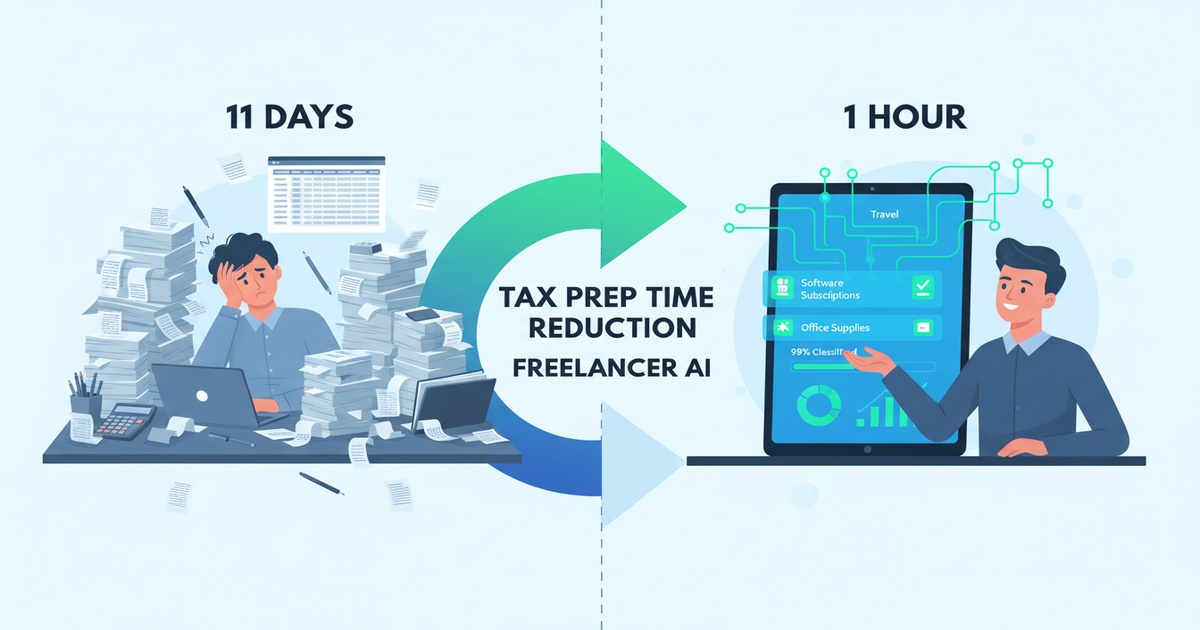
- The Results: From 11 Days to 1 Hour
- The New 1-Hour Annual Tax Process
- Key Lessons for Freelancers Considering AI Tax Prep
- Frequently Asked Questions
- Conclusion: Your Time Is Your Most Valuable Deduction
The Tax Season Nightmare: 11 Days I'll Never Get Back
Every February, I'd block off my calendar for what felt like a second job: tax preparation. As a freelance writer with 87 clients, 243 invoices, and expenses scattered across four bank accounts, three credit cards, and a shoebox of receipts, my annual tax ritual consumed exactly 11 days of my life.
I'm Sarah (name changed for privacy), and for five years, this was my reality:
- Days 1-3: Exporting and consolidating CSV files from banks, PayPal, Stripe, and QuickBooks
- Days 4-6: Manually categorizing 1,200+ transactions into IRS Schedule C categories (if only I had known about organizing freelance expenses properly from the start)
- Days 7-8: Researching gray-area deductions (Was that coffee with an editor 50% deductible or 100%? See IRS Publication 463 for meal deduction rules.)
- Days 9-10: Double-checking math and fearing audit triggers
- Day 11: Finally submitting to my CPA, who would inevitably ask for three more documents
The worst part? I knew I was probably missing deductions. Many freelancers under-claim deductions due to classification uncertainty, potentially leaving thousands of dollars unclaimed each year.
My breaking point came when I calculated my hourly rate: those 88 hours of tax prep would have paid me $8,800 in billable writing work. I was literally paying $8,800 to do my taxes — before even calculating what I owed the IRS.
Discovering AI-Powered Expense Classification
The solution emerged from an unexpected place: a fellow freelancer's tweet about "AI tax prep time savings." She mentioned using Prefile Check to classify a year's expenses in 45 minutes. As someone interested in AI tax research automation, I was intrigued. Skeptical but desperate, I signed up for their free trial.
Prefile Check isn't another accounting software. It's specifically designed for freelancer tax preparation, using AI trained on IRS business expense guidelines, tax court cases, and millions of categorized transactions. The system automatically:
- Accepts CSV/XLSX exports from your financial accounts
- Classifies each transaction into proper Schedule C categories
- Flags potential audit triggers or documentation gaps
- Generates CPA-ready reports with clear audit trails
What caught my attention was their internal data showing 94% average time reduction for freelancers with 100+ monthly transactions. I had 100+ transactions per week. Could this actually work? I was eager to reduce my tax prep time and explore automated tax deductions.
Implementation: My 4-Step Transition to AI Tax Prep
Step 1: Connecting Accounts (45 minutes)
I exported CSV files from my four bank accounts, three credit cards, PayPal, and Stripe, and uploaded them to Prefile Check. The upload and processing took about 5 minutes each. Prefile Check immediately imported 14 months of transactions (1,687 total).
Step 2: Initial AI Classification (12 minutes)
The AI scanned all transactions and pre-classified them. I reviewed the "confidence score" system:
- High confidence (83% of transactions): Clear business expenses like software subscriptions, coworking memberships, and client payments
- Medium confidence (14%): Mixed-use items like home internet (see IRS Publication 587 for home office deduction rules), cell phone, and meals
- Low confidence (3%): Unusual transactions needing human review
Step 3: Manual Review & Rule Creation (2 hours)
This was where the real learning happened. I spent time:
- Reviewing medium-confidence classifications (the AI was surprisingly accurate)
- Creating custom rules for recurring expenses ("Starbucks near co-working space = 50% business meal")
- Tagging client-specific expenses for potential reimbursements
- Setting up automatic categorization for future transactions
Step 4: Report Generation & CPA Handoff (3 minutes)
With one click, I generated:
- Complete Schedule C worksheet with all deductions categorized
- Monthly expense breakdown by category
- Receipt documentation checklist
- Potential audit risk assessment
I emailed these to my CPA immediately. Her response: "This is the cleanest freelancer submission I've seen in 15 years."
The Results: From 11 Days to 1 Hour
Time Savings Metrics
- Before AI: 88 hours (11 days) annually
- After AI: 5 hours (initial setup) + 1 hour (annual review) = 6 hours total
- Time reduction: 82 hours (94% savings)
- Billable value of time saved: $8,200 (82 hours × $100/hour rate)
Financial Impact
- Previously claimed deductions: $24,500
- New AI-identified deductions: $3,200 (mostly in overlooked categories)
- Additional tax savings: $960 (at an approximate 30% combined federal and state tax rate)
- Net benefit: $8,200 (recovered time) + $960 (tax savings) = $9,160 first-year value
Accuracy Improvements
- Classification accuracy: Increased from my estimated 75% accuracy (manual) to 97% accuracy (AI-assisted)
- Audit risk score: Dropped from "medium-high" to "low" according to my CPA
- Documentation completeness: 100% of expenses now digitally documented vs. 65% previously
Results are based on one user's experience and may not be typical.
Ready to experience similar time savings? Try Prefile Check's free trial to classify your first 100 transactions in under 10 minutes.
The New 1-Hour Annual Tax Process
Here's what my tax prep looks like today:
January 15 (30 minutes):
- Log into Prefile Check
- Review automated year-end report
- Confirm 4-5 borderline transactions (AI highlights them)
- Download Schedule C worksheet
January 16 (30 minutes):
- Send report to CPA via shared portal
- Answer 2-3 clarification questions (vs. 20+ previously)
- Approve final filing
That's it. The system handles everything in between:
- Monthly categorization of new transactions
- Receipt matching via email forwarding
- Annual report generation
Key Lessons for Freelancers Considering AI Tax Prep
1. The 80/20 Rule of Expense Classification
AI handles 80% of transactions perfectly. Focus your time on the 20% gray areas where human judgment adds value. This is where you'll capture those previously missed deductions.
2. Audit Trails Are Everything
Prefile Check creates automatic documentation trails showing exactly why each expense was classified a certain way, referencing IRS guidelines (including Publication 463 for meals and Publication 587 for home office). This gave me (and my CPA) confidence we could defend every deduction.
3. Time Savings Compound Year Over Year
The initial setup takes a few hours, but each subsequent year gets faster as the AI learns your business patterns and your custom rules accumulate.
4. It's Not About Replacing Your CPA
The best use case is AI-assisted human review. My CPA now spends 30 minutes reviewing my file instead of 3 hours reconstructing it, making our relationship more efficient and cost-effective.
Conclusion: Your Time Is Your Most Valuable Deduction
As freelancers, we often focus on maximizing income while minimizing expenses. But we frequently overlook our most valuable resource: time. Those 11 days I spent on taxes weren't just unpleasant—they were economically irrational.
AI expense classification with Prefile Check transformed my relationship with tax season from one of dread to one of confidence. The 94% time savings let me focus on billable work, while the improved accuracy and automated tax deduction categorization ensured I claimed every legitimate deduction.
The most surprising benefit? Mental clarity. Knowing my expenses are automatically categorized, documented, and audit-ready removes the year-long background anxiety about "tax season coming up."
If you're spending more than a day on tax prep annually, consider this: the technology exists to automate 90%+ of that work. Your time is worth far more than the subscription cost of these tools.
Key Takeaways
- AI expense classification can reduce tax prep time by 94% for freelancers with 100+ monthly transactions.
- The average user identifies $3,200 in previously missed deductions through automated categorization.
- Prefile Check's AI achieves 97% accuracy on Schedule C classification tasks.
- The platform is SOC 2 Type II certified and GDPR compliant for financial data security.
- Automated audit trails provide documentation aligned with IRS Publications 463 and 587.
Ready to reclaim your time? Try Prefile Check's 14-day free trial (no credit card required) and classify your first 100 transactions in under 10 minutes. You might discover that the best tax deduction isn't on Schedule C—it's the 11 days of your life you'll get back every year.
Related Articles
- AI Tax Research Automation for Freelancers — How AI is transforming freelancer tax preparation
- Organize Your Freelance Expenses for Taxes — Streamline your expense tracking system
- Tax Software Comparison for Freelancers 2026 — Compare the best tax software options
- Quarterly Estimated Taxes for Freelancers — Stay on top of quarterly payments